
One workspace forLeads → Deals → Cash.
Ravon shows the exact actions to take each day—log in, scan the dashboard, and dive into leads, deals, proposals, invoices, and payments without losing context. Ops gets clean data, reps get clarity, finance gets live revenue.





A clean end-to-end journey with no context switching.
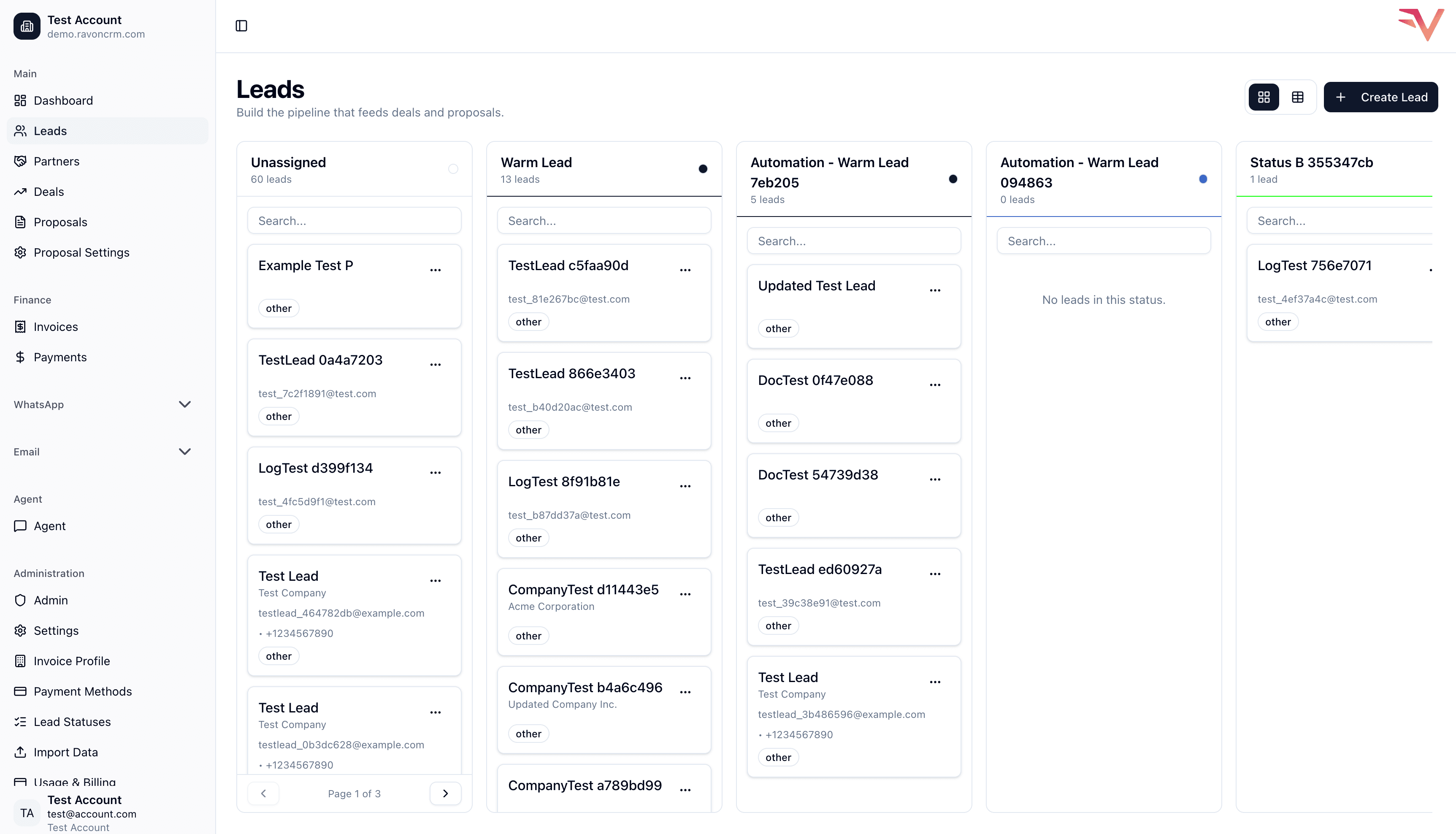
Built exactly to the flow in the product brief: log in, scan the dashboard, work leads, convert to deals, send proposals, collect payments, and loop back to the dashboard with live health.
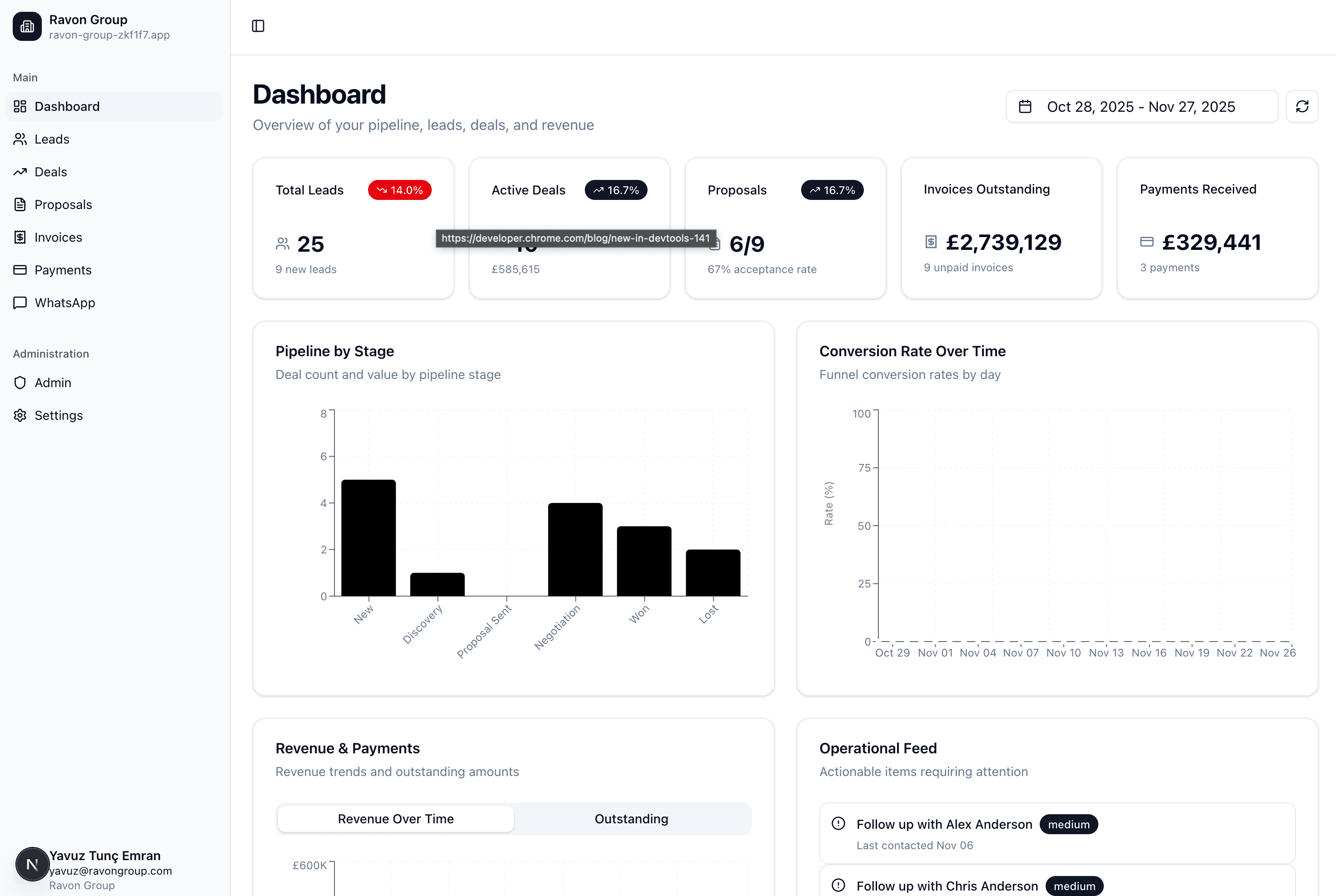
Every user lands on a live dashboard with KPI cards, pipeline charts, and an operational feed outlining overdue invoices, stalled deals, and follow-ups for the day.
Filters (Last 7 / 30 days, quarter) keep leadership and reps aligned.
Everything a revenue team needs, mapped to the doc's flow.
Each module mirrors the requirements in the about doc so sales, ops, finance, and admin users can work in one shared CRM without losing context.
Lead console
Capture contact info, source, and notes, then convert qualified leads straight into deals without retyping fields.
Deal board
Pipeline stages match the spec (New, Discovery, Proposal Sent, Negotiation, Won/Lost) with value, probability, and expected close date inline.
Proposals
Generate proposals from any deal, attach docs, track Draft → Sent → Accepted, and trigger invoices immediately when accepted.
Invoices
Line items, tax, due dates, and Stripe payment links live together. Statuses move from Draft to Paid or Overdue automatically.
Payments
Dedicated table of all Stripe payments with filters for date range, customer, and linked invoices—perfect for finance standups.
Dashboard & Tasks
Top KPI cards, pipeline and revenue charts, and an operational feed that calls out overdue follow-ups, stuck deals, and invoices due this week.
Settings is the integration control center.
Configure SendGrid, WhatsApp, and Stripe once, then let every page reuse the connection—emails, messaging, invoices, and payments all stay in lockstep.
Admin peace of mind
Role restrictions ensure only Admin/Owner users can touch these keys. Everyone else just benefits from the live data.
SendGrid integration
Send transactional and marketing emails via API. Configure API key once; Ravon sends invites, receipts, and notifications with high deliverability.
- API key
- Templates
- Delivery analytics
WhatsApp integration
Connect WhatsApp Business API for lead conversations and notifications. One number, sync with leads and deals.
- Business API
- Message templates
- Sync with leads
Stripe integration
Store publishable key, secret key, and webhook secret once. Ravon generates payment links, listens for events, and updates invoice + payment status automatically.
- Payment link generation
- Webhook-driven status updates
- Payments table filters
Choose the tier that matches your CRM maturity.
Every plan includes the documented Lead → Deal → Proposal → Invoice → Payment flow, dashboard charts, and SOC 2 controls. Upgrade when you need more scale or governance.
- Users (3)
- Leads (50)
- Deals (10)
- Proposals (5)
- Invoices (10)
- AI Agent (5000)
- WhatsApp Integration
- Email Campaigns
- Email Journeys (1)
- EMAILS_SENT (5000)